
AI headshots for tattoo artists and studio owners
Tattoo artists and studio owners often need a current portrait for a studio website, a booking profile, a convention listing and social media. Fylvy creates a set of headshots from phone selfies, so you can choose one image for each place without booking a studio session around a full appointment book.
- Secure checkout with Stripe
- Your selfies are deleted after use
- Refunds follow our refund policy
- All 10 looks + 1 free redo included
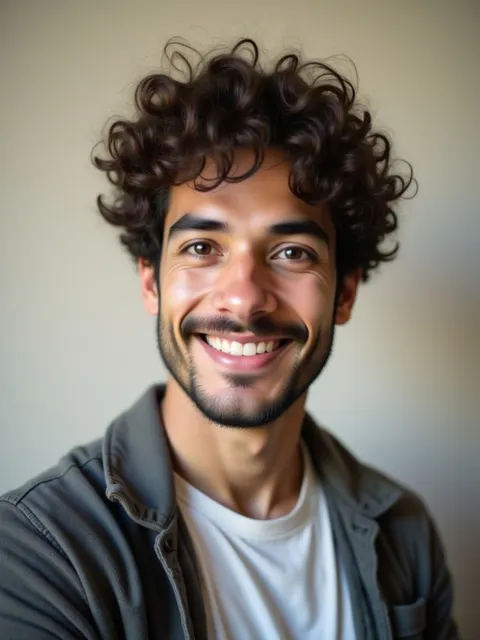
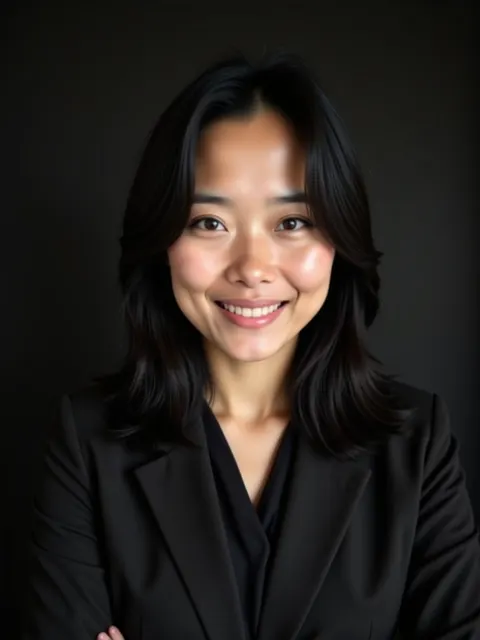
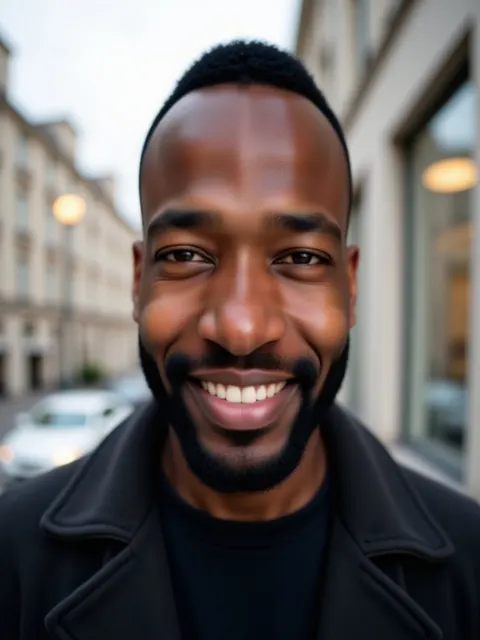
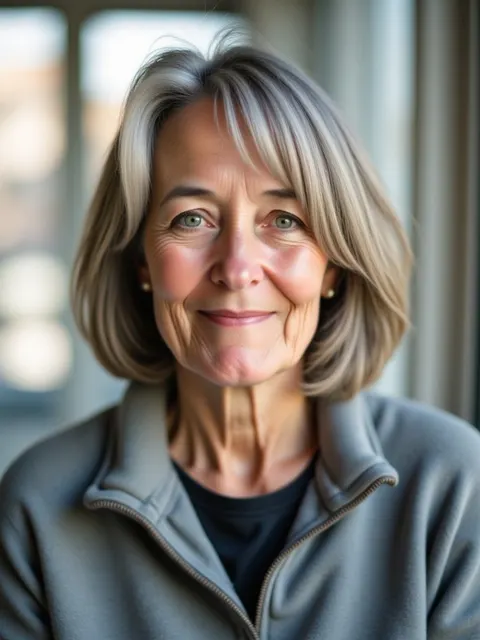
Example results made by our AI from sample selfies. Your results depend on the photos you upload.
Why it works for you
Looks for booking and studio pages
Creative casual suits a relaxed studio homepage or a social account. City street gives an urban feel for a convention or guest-spot listing. Dark executive gives a more formal tone for a studio owner bio.
One order, several uses
You get 40 images in 10 looks for a one-time $39, with no subscription. Use one image for a booking profile, another for a convention listing and a third for social media.
Fits around the appointment book
Upload your selfies on a day off. Delivery is usually within about an hour, though timing is not guaranteed.
Running a studio with several artists rather than your own portrait? Team headshot pricing
Best looks to choose
- Creative casual
- Dark executive
- City street
- Tech startup
Every order includes all 10 looks, so you can try them all.
Tips for great results
- Take your selfies in soft daylight with no artwork, flash sheets or studio equipment behind you. Skip hats, sunglasses and filters.
- Check each destination before you send an image. Booking platforms, convention organizers and studio directories may each have their own photo rules and sizes.
- Review every result for invented details. Generated tattoos, lettering, logos or equipment are not guaranteed to be accurate, so do not publish an image that shows a studio name, a brand or a certification you cannot verify.
New to this? Read how to take selfies for AI headshots.
Choose a tattoo artist headshot for each use
Start with where the photo will appear. A studio homepage, a booking platform, a convention listing, a guest-spot page and a social account each show the photo at a different size and crop. Write that list before you look at your results, then check each place's rules on AI-generated images, crops and file sizes.
Artists are often photographed beside artwork, flash sheets or equipment, which can tie a portrait to one studio. A plain look may suit a portrait you plan to keep when you move or open a second studio. Fylvy cannot specify generated artwork or props, so review each image for the tone you want.
Prepare the selfies you upload
Upload 8 to 20 selfies of only you, taken recently enough to match how you look today, including your current hairstyle and any visible tattoos on your face or neck. Adults aged 18 and over may order. Stand facing a window or another source of soft daylight, keep the camera at eye level, and include several straight-on shots with a few slight angle changes.
Skip group photos, heavy shadows, hats, sunglasses, masks and filters. The selfie guide walks through a practical photo plan. Better source photos help the generator, but they do not guarantee a result, so the review step still matters.
Review before you publish
Compare each candidate with a recent photo of yourself. Check your face shape, eyes, hairline, skin tone, facial hair and glasses if you wear them. If someone who knows you would hesitate to recognize the person, do not publish that image, however polished it looks.
Inspect the details at full size: hands, ears, teeth, jewelry, collars, any artwork in the frame, and any lettering or logo. Do not use an image that shows a studio name, a brand, a certification or a title you cannot verify. Generated details are not guaranteed to be accurate.
Then place the image in the real destination. A studio homepage, a booking card and a convention listing each crop differently. Confirm the head is not cut off and the face is still clear at thumbnail size.
Keep one approved set
Clients, organizers and press contacts often reuse the photo you send them for months. Keep the original file, a smaller export for web use and one backup from the same look, and note where each version was sent.
Using the same look does not guarantee matching backgrounds, lighting or framing across different images, so compare the finished photos side by side before you commit to a set.
Check the approved set again when your studio or your appearance changes. A new piece of work visible on your skin, a new studio or a move to a new city can change how a portrait reads, so a set made a few years ago may need replacing. Note the date each set was made, so you know when to order again.
Pricing, delivery and redo
An order is $39 once for 40 AI headshots in 10 looks, with no subscription. Delivery is usually within about an hour, but timing is not guaranteed, so leave time for review before a convention or a booking push.
Each paid order includes one redo, requestable from your results page within 7 days of purchase if the headshots do not look like you. Once redo photos are delivered, the order is no longer eligible for a refund. Read the refund policy before you request one.
Size, print and where AI images are not enough
Each image is 768 × 1024 pixels. That suits studio websites, booking profiles and most online convention listings. A printed flyer, a large banner or a convention sign may need higher resolution or a real photograph. Check with your printer first, and see the size and resolution guide.
AI-generated images are not photographs. Do not use them for identity documents, licenses or any official record. If a licensing body or venue requires a real photograph, a photographer is the better route; see AI headshots vs. a photographer.
Questions
Can I use these on my studio website and booking profile?
The terms allow lawful personal and commercial use, including a studio website and booking profile. Check each platform's or organizer's photo rules before you submit an image.
Can I choose a tattoo design or a studio background?
No. Fylvy includes 10 looks, but you cannot specify generated tattoos, equipment or an exact studio background. Check each image for distortions and invented details before you use it.
How large are the images?
Each image is 768 by 1024 pixels, which suits websites, booking profiles and social media. For a printed flyer or a convention banner, check the print requirements with your printer first.
What if a photo doesn't look like me?
Each paid order includes one redo, requestable from your results page within 7 days of purchase if the headshots do not look like you. Once redo photos are delivered, the order is no longer eligible for a refund.
Can a studio team order together?
Yes. Each artist uploads their own selfies and receives their own set. Team pricing is listed on the teams page. Using the same look does not guarantee matching backgrounds or framing.
Is an AI headshot a real photograph?
No. The images are AI-generated, not photographs. Do not use them for identity documents, licenses or any official record, and do not present them as a photo taken in a specific studio.
What happens to my selfies?
They are used to create your headshots and then deleted, as described in the privacy policy.
More answers in our FAQ.
Get your headshots today
40 photos in 10 looks for $39. Usually within about an hour.