
How to take selfies for AI headshots
Updated November 7, 2026 · 7 min read
AI headshots are only as good as the photos you give the AI to learn from. You don't need a professional camera or an elaborate setup. You do need photos where your face is visible, in focus and recognizable, with enough variety for the AI to learn how you look.
Fylvy asks for 8 to 20 selfies. The 12-photo plan below sits comfortably in that range: enough variety to be useful, few enough to keep choosing simple.
Before you take the photos
- Find soft light. Stand facing a window during the day, or turn slightly toward it. Avoid a bright window behind you, harsh overhead lights and strong shadows across your face.
- Keep it simple behind you. A plain, uncluttered background is easiest, but a few different rooms add useful variety.
- Wipe the lens, hold the phone at eye level. Low angles distort your face and high angles shrink it. Prop the phone on a shelf and use the timer if that's easier.
- Use recent photos. Photos from the last few months match how you look today, including hairstyle and facial hair. You can take a fresh set or pick existing photos, as long as each clearly shows only you.
A practical 12-photo shot plan
Take more than you need so you can drop blinks, blur and awkward crops. Aim for these 12 distinct photos, from the shoulders up:
| Photos | What to capture | Why it helps |
|---|---|---|
| 1–3 | Face the camera. One neutral expression, two natural smiles. | Gives the AI your most recognizable view. |
| 4–5 | Turn your face slightly to your left. Vary your expression. | Shows the shape of your face from the side. |
| 6–7 | Turn your face slightly to your right. Vary your expression. | Balances the left-side photos. |
| 8–9 | Face forward with your chin at a slightly different height in each. | Adds natural variation without extreme angles. |
| 10–11 | Move to a second well-lit spot, or change tops and background, and take two clear shots. | Stops the AI treating one shirt or one wall as part of you. |
| 12 | One more straight-on photo with the expression that feels most like you. | Anchors the set with your best likeness. |
Small changes in angle and expression are enough. Avoid extreme profiles and dramatic camera angles, and don't use twelve copies of the same image.
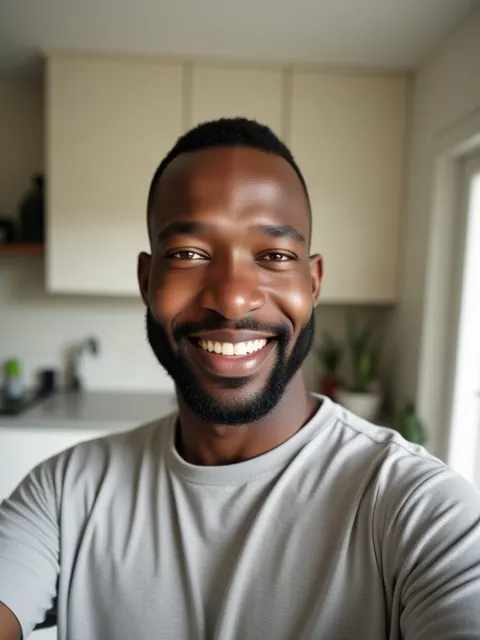
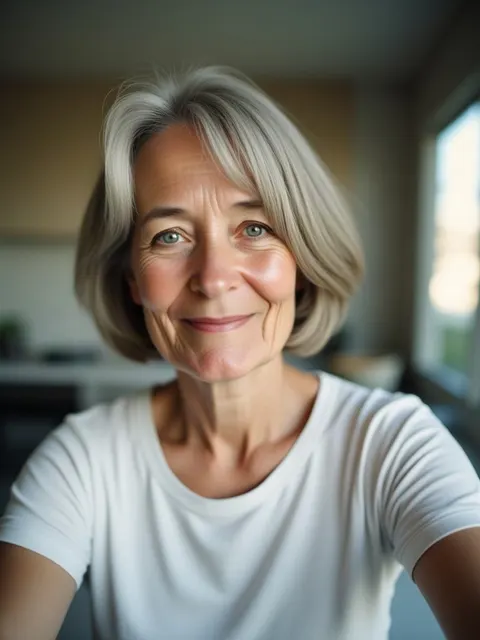
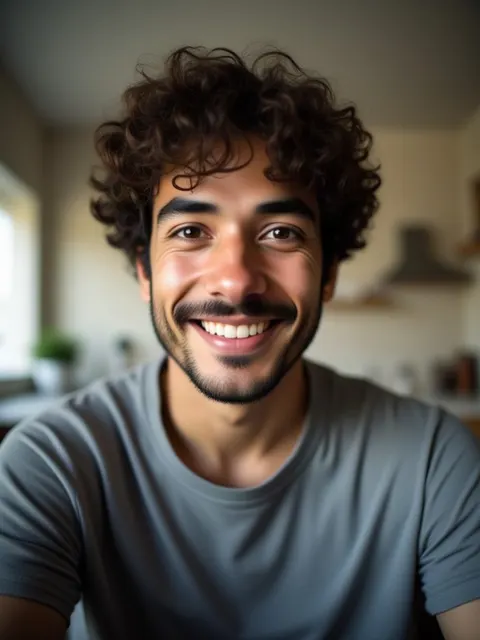
Choose photos that look like you
Keep your appearance consistent across the set. If your hair or facial hair has changed a lot, favor photos that show how you look now, and answer Fylvy's required appearance questions (hair, facial hair, glasses) to match.
Glasses: clear everyday glasses are fine. Pick photos where your eyes are visible and glare doesn't hide them. Skip sunglasses and tinted lenses.
Hats and coverings: skip hats, caps, hoods, sunglasses, masks and hands over your face. If you wear a head covering for religious or medical reasons, tick “I wear a head covering for religious or medical reasons” on the upload page. Photos of that covering are then counted and your headshots keep it. Sunglasses, masks and hands over your face are still not counted, and the check can still reject a photo, so keep your face clearly visible. If that happens, try another clear photo or contact support.
Accept or replace?
Review each photo at a comfortable size before you upload. If one is borderline, replace it with a clearer one.
| Check | Accept | Replace |
|---|---|---|
| Sharpness | Facial features are crisp when you zoom in. | Motion blur or missed focus softens your face. |
| Light | Your face is evenly lit and easy to recognize. | Deep shadows or low light hide features. |
| Glare and glasses | Eyes are visible, with or without clear glasses. | Reflections hide your eyes, or the lenses are tinted. |
| Other people | Only you appear in the photo. | A group photo, or someone clearly visible behind you. |
| Filters | The photo shows your natural features. | A beauty mode, face-altering effect or heavy retouching changes them. |
| Coverings | Your whole face is visible. Religious or medical head coverings are fine if you tick the upload-page box. | A hat, hood, mask, sunglasses or hand covers part of your face. |
| Framing and size | Your whole head fits in frame and your face fills a good part of the picture. | Your chin or the top of your head is cut off, or your face is small and far away. |
Fylvy's upload page applies some of these checks automatically, but a photo that passes is not guaranteed to be a good input.
What the upload check can and can't tell you
On the start page, your browser checks each photo before you pay. It looks for a single clear face, a face that isn't too small, blur, darkness, and covers such as hats, sunglasses, masks or a hand over the face. Photos that don't pass aren't counted toward your 8. The page keeps up to 20 photos.
The check has limits. It can reject a photo you think is fine, and passing doesn't mean the results will look like you. If your browser can't run the check, you aren't blocked and photos are accepted without it, so review them yourself. If a photo can't be read at all, try a JPEG or PNG. For persistent problems, contact Fylvy.
What to expect from your headshots
An individual order is $39 one time for 40 headshots in 10 looks, as 768 × 1024 pixel portraits, usually delivered within about an hour. Timing is not guaranteed.
AI portraits can alter facial details, hair or clothing, and some will look more like you than others even with good selfies. Check each result and choose images that represent you accurately. If a camera-captured likeness or a controlled setup is essential, consider a photographer; see AI headshots vs a photographer. Selfies are deleted automatically after your headshots are created; the privacy policy has the details, and the refund policy explains redos and refunds.
Final selfie checklist
- I have 8–20 distinct, recent photos of just me; the 12-photo plan is one way to get there.
- My face is sharp, well lit and fully in frame.
- My eyes and facial features are visible, with no obstructive glare.
- The photos show modest changes in angle, expression and, ideally, top or background.
- There are no group photos, face-altering filters or heavily retouched images.
- If I wear a religious or medical head covering, my face is still clearly visible and I'll tick the box on the upload page.
- I'm ready to answer the appearance questions accurately.
Questions
Do I need exactly 12 selfies?
No. Fylvy accepts 8 to 20. Twelve is a practical target that covers several angles and expressions.
Can I wear glasses or a head covering?
Clear everyday glasses are fine; choose photos where your eyes are visible and glare doesn't hide them. If you wear a head covering for religious or medical reasons, tick the checkbox on the upload page and keep your face visible. If the check rejects a suitable photo, try another or contact support.
Will better selfies guarantee a perfect likeness?
No. Clear, varied selfies give the AI better input, but generated photos can still change your features. Check your results before you use them.
Can I use old or filtered photos?
Recent photos work best, so the headshots look like you today. Mixing in one or two older ones is fine if you look the same. Replace beauty filters and heavy retouching with natural photos.
Do I need a good camera?
No. A modern phone camera in daylight is plenty.
Photo preparation self-assessment
This is a self-reported checklist, not photo validation. It does not inspect, analyze, or validate photos. Review your selected photos yourself, then report your answers below.
Checked boxes do not guarantee input acceptance, likeness, or usable results.
This exercise has no file picker, photo access, upload, preview, or camera. It collects no selfie bytes or identity information. Your reported count and checkbox answers stay only in this component's memory; this exercise does not save or send them.
Fylvy is for adults 18 and older. Use only photos of yourself or an adult who clearly permitted uploading the photos and creating AI images of them, and make sure you have the right to use them. Read the Terms, Privacy Policy, and Acceptable Use Policy.
Checking a box here is a self-report, not acceptance of terms or consent to process photos for an order. Permission is not verified or recorded as order consent. This exercise does not replace the separate consent step on the upload page.
0 of 7 preparation checks reported. Enter how many distinct, recent photos you plan to use. The guide asks for 8–20. Some preparation steps remain unchecked; we have not inspected photos. Checked boxes do not guarantee input acceptance, likeness, or usable results.
Steps still to review
- Enter how many distinct, recent photos you plan to use. The guide asks for 8–20.
- Review the adult's permission and your right to use the photos. Do not use photos of anyone under 18 or without permission.
- Choose recent photos with a consistent current appearance.
- Replace group photos and photos showing other people or minors. Keep only the same consenting adult in each image.
- Choose distinct photos with modest changes in angle and expression.
- Replace blurry, dark, strongly shadowed, distant, or tightly cut-off photos with clear, evenly lit ones.
- Choose photos with visible eyes and facial features. Avoid glare and face obstructions; follow the glasses and head-covering guidance.
- Replace face-altering filters and heavy retouching with natural photos.
You can open the start page with any checklist state. These answers do not approve photos, bypass upload checks, or change eligibility or consent requirements.
Ready to upload? Add 8–20 photos of just you, then get 40 headshots in 10 looks for $39, usually within about an hour.