
What to wear for a professional headshot
Updated November 7, 2026 · 5 min read
The right outfit starts with where the photo will appear and how you are making it. For a photographer or a DIY photo, you choose and wear the clothes. With Fylvy, you upload selfies and review AI-generated looks: the clothing in your uploads is not guaranteed to be retained, and a particular custom outfit is not promised.
Start with something that feels like you and fits the intended setting. Then check the image at the size and crop people will actually see.
First, plan for the destination
Look at the page or material where the headshot will appear. A small profile circle shows little beyond your face and neckline; a larger biography page may show more of your shoulders and jacket.
Before you choose an outfit or image, ask:
- Is there current guidance on clothing, background or image type?
- Will the photo appear beside other portraits?
- Does the recipient permit AI-generated images, and is disclosure requested?
- What crop will the page use?
Follow the specific recipient's instructions. A good fit for one page does not guarantee acceptance on another.
For a photographer or a DIY photo
You control the clothes in a camera session, so prepare the actual items you want photographed.
- Choose a familiar outfit. Consider what you would comfortably wear in the setting represented by the photo. A jacket is optional unless your destination asks for one.
- Check the visible area. Try the top, collar and any layers together. Look at the neckline and shoulders in a mirror or test photo.
- Review patterns and details. Fine patterns, large lettering or logos may draw attention in a small crop. If you like a patterned item, test it at the intended size before ruling it in or out.
- Bring an alternative if practical. A second top or layer gives you a choice if the first blends into the background or does not sit as expected.
- Check accessories as you normally wear them. Glasses, jewelry and religious or medical head coverings can be part of your everyday appearance. Check for distracting glare or an awkward crop, not whether you conform to a prescribed look.
Ask a photographer about wardrobe changes and the intended background before the session. For a DIY image, take a test frame and view it on the destination page if possible.
For Fylvy's generated looks
Fylvy creates AI images from your selfies. The looks provide generated clothing and settings; they are not a wardrobe-change service that reproduces a garment you upload. Do not rely on an uploaded shirt, jacket, logo or accessory appearing unchanged, and do not assume you can request a specific custom outfit.
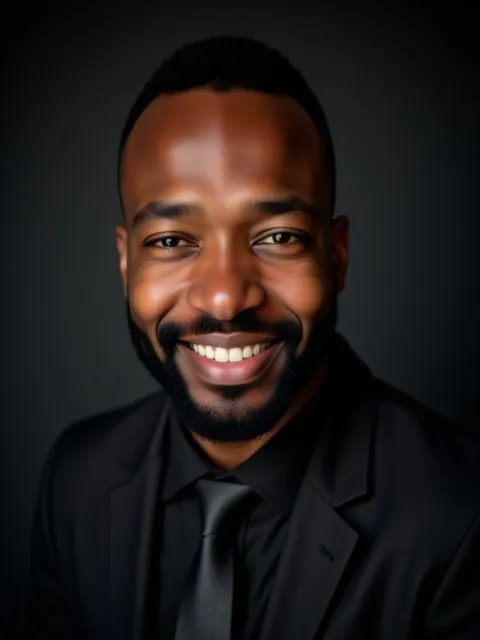
Choose 8–20 recent selfies of yourself with your face clearly visible, even light and modest variation in angle and expression. The selfie guide provides a fuller photo plan.
If you wear a head covering for religious or medical reasons, keep your face visible and select the relevant checkbox on the upload page. The upload check can still reject a photo; try another clear image or contact support if needed.
Fylvy is for adults 18 and over. Do not upload photos of anyone under 18; see the terms.
Review the outfit in each result
Clothing can look plausible at a glance while containing details you would not wear. Inspect each candidate before sharing it:
- The image resembles my current face, hair, skin tone and glasses.
- The collar, neckline, shoulders and layers look coherent.
- Jewelry, glasses and other visible accessories are represented appropriately.
- There are no invented logos, badges, text or details that imply an affiliation I do not have.
- The outfit and crop work on the actual page.
- The destination permits this type of image.
Set aside any image that misrepresents you, even if you like its outfit. AI can alter facial features and clothing, and clear selfies do not guarantee an accurate result.
Frequently asked questions
Should I wear a suit?
Only if it suits you and the intended use, or if the recipient asks for one. A real photo session lets you choose the actual outfit; generated looks need individual review.
Will Fylvy reproduce my own clothes?
Not necessarily. Uploaded clothing is not guaranteed to remain in the generated images, and a custom garment is not promised.
Can I wear glasses or a head covering?
For camera photos, wear what represents you. For Fylvy selfies, keep your eyes and face visible; if you wear a religious or medical head covering, select the corresponding upload-page checkbox. Check the results for accurate details.
What if the headshots do not look like me?
Each paid order includes one redo, requestable from your results page within 7 days of purchase if the headshots do not look like you. The redo uses the same model and looks. See the refund policy, including how a delivered redo affects refund eligibility.
An individual Fylvy order is $39 one time for 40 images in 10 looks from 8–20 selfies. Images are 768 × 1024 pixels and are usually ready in about an hour; timing is not guaranteed.