
The best background for a professional headshot
Updated November 7, 2026 · 5 min read
The best background is one that works in the place your headshot will actually appear. Start with the destination, preview its crop and check that the image represents you accurately. A background that looks appealing as a full portrait may be distracting in a small circle or unsuitable beside other photos.
You can use a real wall or location for a camera photo, book a photographer, or review a generated background from an AI service. Each gives you a different degree of control.
Choose for the actual placement
Write down the main destination before deciding on a background. Then check the page or ask its owner what they need.
| Destination | What to test |
|---|---|
| Small profile image | Preview the actual square or circular crop. Is your face clear? Does anything distracting remain behind it? |
| Company directory | Check the employer's image guidance and preview the portrait alongside the directory layout. Ask whether AI images are permitted. |
| Personal website or portfolio | View the image beside your biography and page design, including on a small screen. |
| Event or publication | Ask the recipient about image type, crop, dimensions and any disclosure instructions. |
These are starting questions, not rules for every platform. Check the current requirements of each recipient before submitting.
Compare backgrounds in a crop
A plain wall or studio-style background can be easy to assess because it has fewer visible objects. An office, outdoor or other scene can add context, but it also gives you more details to inspect.
Try this short review:
- Place the image in the intended frame. Use the actual preview if one is available. Check that the crop does not cut awkwardly through your head or shoulders.
- Look at the face first. If the background competes with your face at the displayed size, try a simpler candidate or adjust the crop.
- Check separation. If hair or clothing blends into the background, compare another image or a different real backdrop.
- Inspect the edges. Look around hair, glasses and shoulders for strange transitions or generated artifacts.
- Read the scene. Remove or reject images with distracting text, logos, objects or details that imply an affiliation you do not have.
Color is a matter of the image and the page. Test the actual combination rather than relying on a color to convey a particular personality or professional quality.
Real backdrop or generated setting?
For a DIY photo, you can stand in front of a wall or choose an actual location, then take a test image and adjust the light, distance and framing. A photographer can help control the backdrop and lighting, direct the pose and photograph a real workplace when that setting matters.
Fylvy instead generates portraits from selfies. Its existing looks include Classic gray studio, Bright white studio, Modern office and Dark executive. These are starting points for review, not a promise of an exact shade, backdrop or match to a brand specification. A generated office is not a photograph of your actual workplace; do not present it as one.
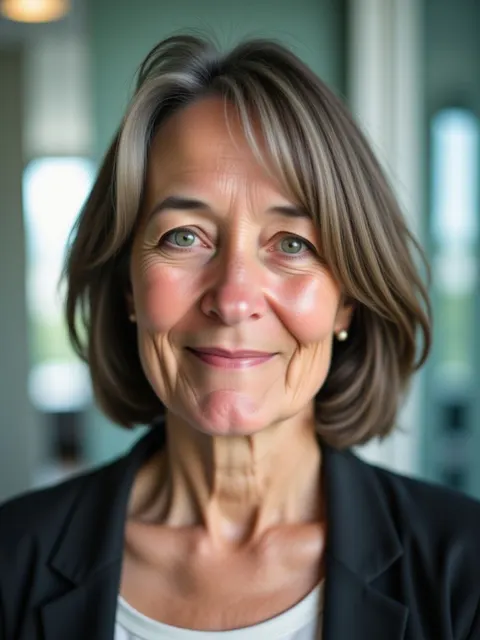
If an employer requires a precise brand background, a real photograph or a controlled match with colleagues, check the instructions first. A photographer or an approved existing photograph may be a better fit.
Prepare and inspect Fylvy results
Upload 8–20 recent selfies with your face clearly visible and in even light. Choose images of yourself without heavy filters or other people. For a detailed shot plan, see how to take selfies for AI headshots.
Fylvy is for adults 18 and over. Do not upload photos of anyone under 18; see the terms.
When results arrive, inspect your face as well as the background. AI can change facial features, hair, glasses, clothing and surroundings. Good input photos do not guarantee likeness. Keep the original output and make separate copies for any crops you need, so you can revisit the framing later.
Each paid order includes one redo, requestable from your results page within 7 days of purchase if the headshots do not look like you. It uses the same model and looks, so it is not a request for a new background style. Read the refund policy, including the effect of a delivered redo on refund eligibility.
Frequently asked questions
Is a plain background always best?
No. It can be useful when you want fewer visible details, but the right choice depends on the destination, crop and image. Compare candidates in the actual layout.
Can Fylvy match my company's exact background?
An exact brand background or match is not guaranteed. Ask your company for its current guidance and review any generated image against it.
Can a generated office represent my workplace?
It is an AI-generated setting, not a photo of your workplace. Avoid using it in a way that implies it documents a real location.
What if I need a real location or precise control?
Take a camera photo in the actual setting or discuss the brief with a photographer. Share the destination's crop and file requirements before the session.
An individual Fylvy order costs $39 one time for 40 images in 10 looks from 8–20 selfies. Each image is 768 × 1024 pixels. Results are usually ready in about an hour, but timing is not guaranteed.